

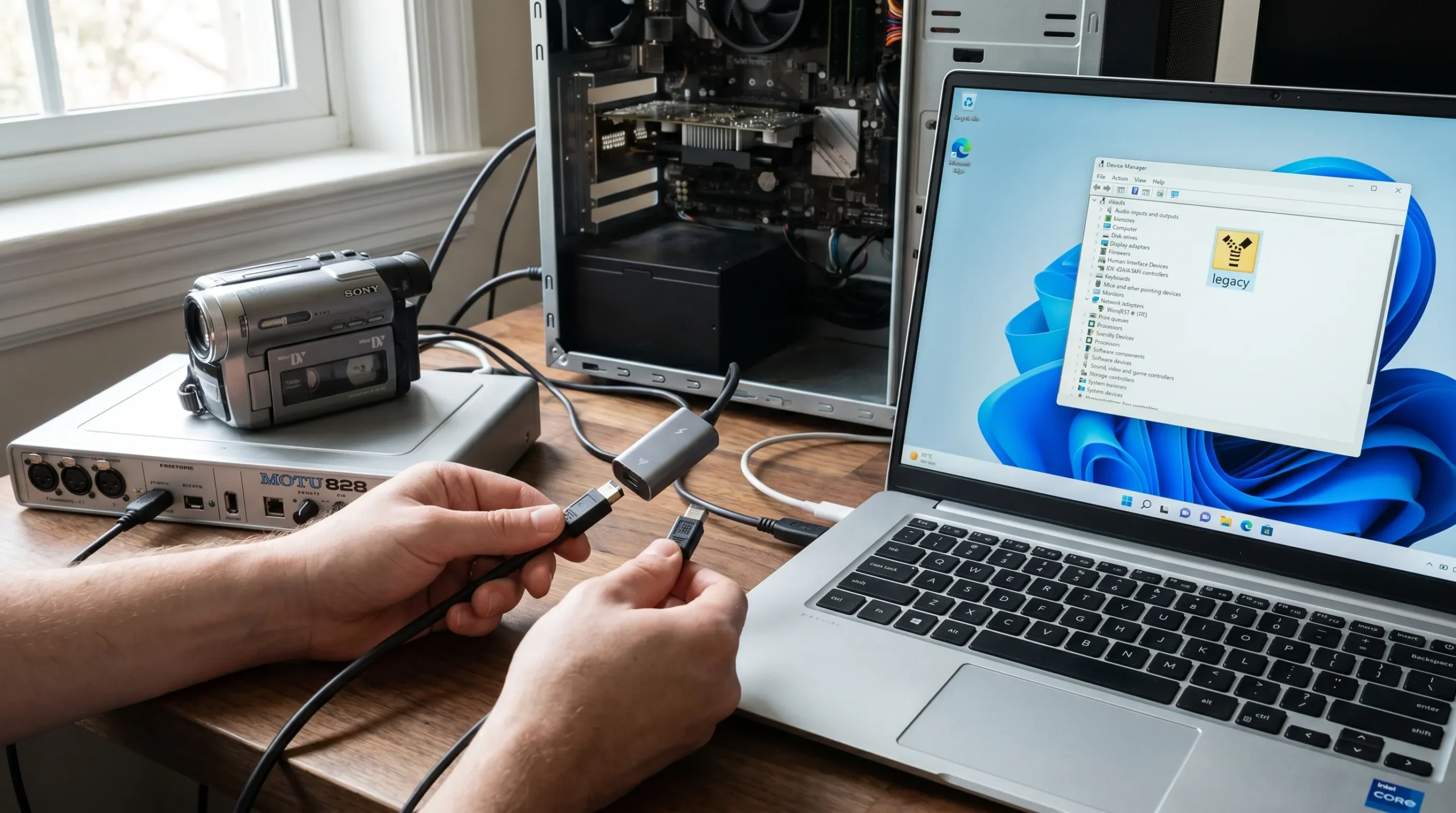
Does FireWire work with the latest Windows? This is a question many users still ask, especially those who rely on FireWire audio interfaces, MiniDV camcorders, or legacy FireWire devices. While FireWire, also known as IEEE 1394, was once the go-to standard for high-speed audio and video transfer, modern Windows systems have moved toward USB-C and Thunderbolt. That said, FireWire can still work on Windows 10 and Windows 11, but it requires understanding drivers, chipsets, and adapters. In this guide, we’ll explore compatibility, hardware requirements, and practical workflows for both audio and video use cases.
FireWire Basics and How It Works
FireWire, formally known as IEEE 1394, is a high-speed interface designed for real-time data transfer. It was widely adopted in the early 2000s for audio interfaces, video capture, and professional recording setups. There are two main standards: FireWire 400 (FW400) and FireWire 800 (FW800), with FW800 offering faster transfer rates and improved bandwidth.
FireWire relies on a dedicated bus host controller, often integrated into PCIe expansion cards or older motherboards. Popular chipsets include Texas Instruments (TI) and VIA, both known for their stability. For modern systems, Thunderbolt 3 or 4 adapters can allow connection to FireWire devices, though compatibility varies. Using FireWire requires drivers, such as the 1394 OHCI compliant host controller legacy driver, especially on Windows 11, where support is more limited.
Understanding the basics helps explain why some devices still function while others do not. For instance, MiniDV camcorders, Digital8 tapes, and legacy audio interfaces rely heavily on stable, low-latency connections, which FireWire provides over USB alternatives.
FireWire Compatibility With Windows 10 & 11
FireWire’s compatibility with Windows has always depended on drivers and chipset support. On Windows 10, most FW800 cards still work with the right driver installation, while FW400-only devices often fail. Windows 11 is more restrictive: Microsoft has not removed FireWire entirely, but users often need to manually install legacy drivers and ensure they have a compatible TI or VIA chipset.
For example, a Focusrite Saffire Pro 40 or a PreSonus FireStudio Project may require driver updates or even a PCIe expansion card to work. UAD Apollo Silver and other Universal Audio interfaces often rely on UAD Console software, and users report that Thunderbolt-to-FireWire adapters sometimes offer a workaround for newer laptops without native FireWire ports.
Tip: Always check the Device Manager for a 1394 OHCI Compliant Host Controller, which indicates that your system recognizes the FireWire bus. If it’s missing, the legacy driver manual install is required.
| Device Type | Windows 10 | Windows 11 | Notes |
| FW800 Audio Interface | Mostly compatible | Some require adapters | Check manufacturer driver |
| FW400 Audio Interface | Partial | Often incompatible | Use PCIe TI chipset card |
| MiniDV Camcorder | Compatible | Limited | Legacy driver needed |
| Digital8 | Compatible | Limited | Adapter or capture card recommended |
FireWire for Audio Interfaces
FireWire audio interfaces remain popular in home studios and professional setups due to low latency and stable connections. Brands like Focusrite, PreSonus, and UAD Apollo still provide FireWire support, though new models often favor Thunderbolt or USB-C.
For instance, the Focusrite Liquid Saffire 56 and PreSonus Firebox rely on FireWire to deliver direct audio input/output with DAWs like Cubase 10.5 or Logic Pro X. Many musicians report smooth operation on Windows 10 22H2, but Windows 11 users must check chipset compatibility. TI chipsets are preferred because they maintain stable audio streams, while VIA chipsets can be inconsistent.
Latency, often measured in milliseconds, is another concern. Users report <10ms latency for TI chipset cards on Windows 11 when properly configured. Unstable setups can cause BSOD errors, so following a FireWire troubleshooting checklist is essential.
Case Study: A user running a PreSonus FireStudio Project on Windows 11 found that installing the 1394 OHCI compliant host controller driver restored full functionality. Latency improved from 15ms to 7ms, enabling real-time monitoring in Cubase 10.5.
FireWire for Video Capture
FireWire also supports video capture, especially for MiniDV and Digital8 tapes. Devices like the Sony DCR-TRV38 or legacy Digital Hi8 camcorders rely on IEEE 1394 to transfer family videos to a PC.
On Windows 11, you may need:
- A TI or VIA PCIe FireWire card
- 1394 OHCI compliant host controller driver
- DV capture software (Topaz Video AI 7 Toolkit, Vegas 12)
Attempts to use FireWire-to-USB cables often fail because these cables cannot emulate the bus-level communication required for video transfer.
Pro Tip: For long MiniDV tapes, use software that supports frame-accurate capture. Ensure your FireWire card supports continuous streaming to avoid dropped frames. This setup allows digitization of old tapes even on modern Windows 11 PCs.
Thunderbolt & Adapter Workarounds
Many modern PCs lack FireWire ports, but adapters can help. Thunderbolt 3-to-FireWire adapters allow FireWire devices to connect to modern laptops. However, performance depends on:
- Adapter quality
- Chipset type (TI preferred)
- Device firmware
Using a Thunderbolt PCIe card can enable Apollo Silver, Focusrite, or PreSonus interfaces to work without native FireWire ports. Note that adapters may introduce slight latency, and some MiniDV camcorders may still fail due to incompatible bus-level emulation.
Common FireWire Troubleshooting
Despite proper installation, issues arise:
- Device not detected: Ensure legacy driver is installed. Check Device Manager.
- BSOD crashes: Often due to chipset mismatch or old firmware.
- Audio dropouts or latency spikes: Can occur on VIA chipsets or poorly shielded cables.
- Adapter failures: USB-to-FireWire cables rarely work; Thunderbolt adapters are better.
Checklist:
- Verify TI chipset FireWire card installed.
- Install 1394 OHCI compliant driver manually.
- Update device firmware.
- Test with minimal devices connected.
- Use DAW settings to reduce buffer size for audio.
When to Keep Legacy FireWire Gear vs Upgrade
Legacy FireWire audio interfaces can be kept if:
- Your PC supports TI chipset cards
- You can install legacy drivers
- Latency remains acceptable
If not, consider upgrading to USB-C or Thunderbolt interfaces, which offer:
- Better driver support on Windows 11
- Wider software compatibility
- Reduced latency
Decision table:
| Scenario | Keep Legacy | Upgrade |
| TI chipset card available | ✅ | |
| VIA chipset or adapter required | ✅ | |
| Frequent BSOD | ✅ | |
| MiniDV capture only occasionally | ✅ | |
| Professional low-latency DAW work | ✅ | ✅ |
FireWire Software and Driver Resources
Key drivers and software for FireWire on Windows 11:
- 1394 OHCI Compliant Host Controller (legacy driver) — Microsoft Update Catalog
- Focusrite / PreSonus / UAD drivers — vendor sites
- DV capture software — Vegas 12, Topaz Video AI 7 Toolkit
Always download from official sources to avoid incompatibility. For MiniDV or Digital8 digitization, prioritize software with frame-accurate capture.
Content Gap Section
To differentiate your article, include:
- FireWire on modern laptops without native ports
- Cost comparison: adapters vs new interfaces
- Digitization of old tapes in 2026 workflows
- FireWire-to-USB myths
- Latency comparisons for audio interfaces
- Comprehensive troubleshooting checklist
These angles are not fully covered by competitors and provide actionable guidance for readers.
Conclusion
In summary, FireWire can still work with the latest Windows, but it requires attention to drivers, chipsets, and adapters. Windows 10 supports most FW800 devices with legacy drivers, while Windows 11 is more selective. For audio interfaces, ensure your DAW and drivers are compatible. For video capture, use proper FireWire cards and software.
If issues persist, consider upgrading to USB-C or Thunderbolt interfaces, but legacy gear can still be valuable for archival workflows. Proper setup ensures you preserve your audio and video workflows without losing reliability.